


Hey there! As a supplier of thermal vision sights and goggles, I often get asked if these nifty devices can be connected to a smartphone. Well, let's dive right into it and explore this topic in detail.
First off, the short answer is yes, in many cases, thermal vision sights and goggles can be connected to a smartphone. But like most things in the tech world, there are a few factors to consider.
Why Connect to a Smartphone?
Before we get into the how, let's talk about the why. Connecting your thermal vision sights or goggles to a smartphone offers several benefits. For one, it allows for easy sharing of thermal images and videos. You can quickly send those cool thermal shots to your friends, colleagues, or even post them on social media. It's a great way to show off the unique perspectives that thermal imaging provides.
Another advantage is the ability to use your smartphone as a display. Instead of looking through the relatively small viewfinder of the thermal device, you can use your smartphone's larger screen. This can be especially useful for getting a better overview of the thermal scene, making it easier to spot details and analyze the situation.
How Does the Connection Work?
There are a few different ways to connect thermal vision sights and goggles to a smartphone. One common method is through Wi - Fi. Many modern thermal devices come with built - in Wi - Fi capabilities. You simply need to connect your smartphone to the same Wi - Fi network as the thermal device. Once connected, you can use a dedicated app provided by the manufacturer. This app allows you to view the thermal images and videos in real - time, adjust settings such as color palettes and temperature ranges, and even save the data to your smartphone.
Some thermal devices also support Bluetooth connection. Bluetooth is a convenient option as it doesn't require you to set up a separate Wi - Fi network. You can pair your smartphone directly with the thermal device via Bluetooth, and then use the app to access the thermal imagery.
There are also some thermal devices that use a USB connection. You can connect the thermal device to your smartphone using a compatible USB cable. However, this method may require your smartphone to support USB On - The - Go (OTG) functionality.
Compatibility Issues
While many thermal vision sights and goggles can be connected to smartphones, compatibility can be a bit of a challenge. Different smartphones have different operating systems (iOS and Android being the most popular), and not all thermal device apps are available for both platforms. For example, some apps may only be compatible with Android devices, while others work exclusively on iOS.
Also, the hardware of the smartphone can play a role. Older smartphones may not have the processing power or memory to run the thermal imaging apps smoothly. So, it's important to check the compatibility requirements of the thermal device and its app before making a purchase.
Our Products and Smartphone Connectivity
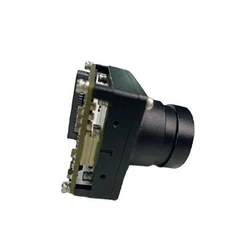
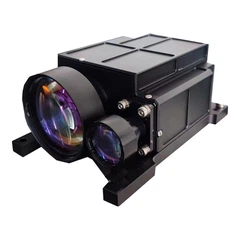
At our company, we understand the importance of smartphone connectivity. That's why many of our thermal vision sights and goggles are designed with this feature in mind. For instance, our 640 X 512 MCT Anti - shock MWIR Thermal Image Core 20x Zoom CMP620 can be easily connected to a smartphone via Wi - Fi. With its high - resolution thermal image core and powerful zoom capabilities, it provides amazing thermal imagery that you can view and share on your smartphone.
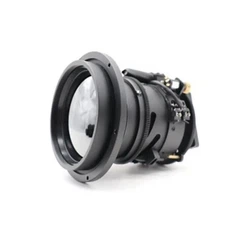
We also offer a range of lenses, such as the Manual Focusing LWIR Lens and the 25 - 225mm LWIR Vari - focal Lens, which can be used in conjunction with our thermal devices. These lenses enhance the performance of the thermal imaging system, and the images captured can be transferred to your smartphone for further analysis.
Tips for a Smooth Connection
If you're planning to connect your thermal vision sights or goggles to a smartphone, here are some tips to ensure a smooth connection:
- Update Your Devices: Make sure both your thermal device and smartphone have the latest software updates. This can fix any bugs and improve compatibility.
- Check the App: Read the app reviews and check its ratings before downloading. Also, make sure to download the app from a trusted source, such as the official app store for your smartphone.
- Test the Connection: Before you head out into the field, test the connection between your thermal device and smartphone at home. This way, you can troubleshoot any issues before they become a problem.
Conclusion
In conclusion, connecting thermal vision sights and goggles to a smartphone is not only possible but also offers many benefits. It allows for easy sharing of thermal imagery, better viewing experience, and more convenient data analysis. At our company, we're committed to providing high - quality thermal devices that are compatible with smartphones.
If you're interested in purchasing thermal vision sights, goggles, or any of our related products, we'd love to have a chat with you. Whether you're a hobbyist, a professional in the security or wildlife monitoring field, or just someone who's curious about thermal imaging, we can help you find the right device for your needs. Reach out to us to start the procurement discussion, and let's explore the amazing world of thermal imaging together.


References
- Manufacturer's documentation of thermal vision sights and goggles
- Smartphone operating system guides
- Online forums and communities related to thermal imaging technology